Creating a Working Copy is only half the story. The real discipline comes when you bring changes back to the main application or align your copy with updates done by others.
Prevous blog: Understanding Working Copy in Oracle APEX
In Oracle APEX, this is handled through two actions:
- Merge into Main
- Refresh Working Copy
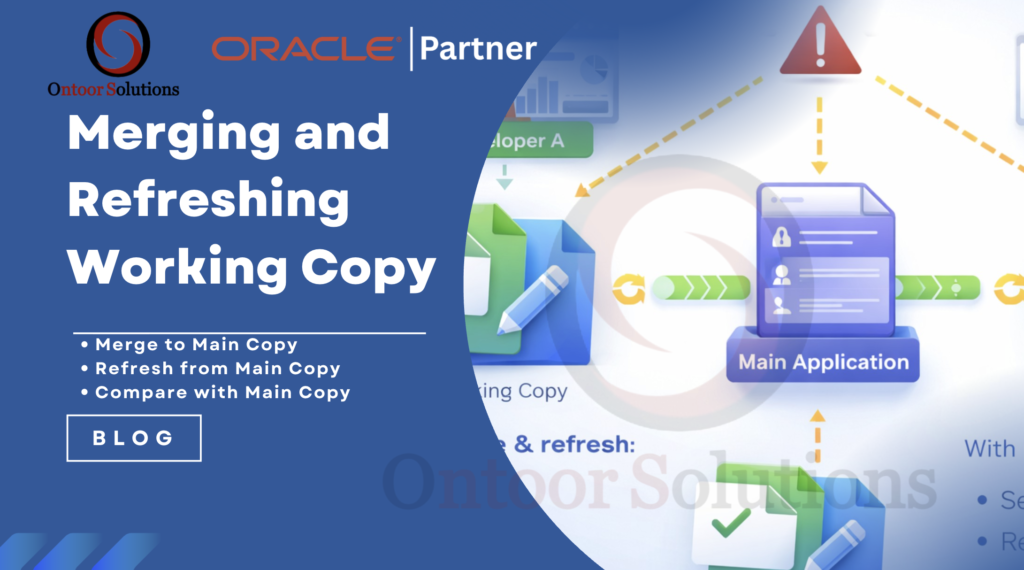
Both are important in team-based development. We are talking about features available inside Oracle APEX
Merge into Main Copy
After completing your development and testing inside the Working Copy, you need to publish your changes.
How to Merge
Steps:
- Open your Working Copy.
- Click on the Working Copy menu.
- Select Merge into Main.
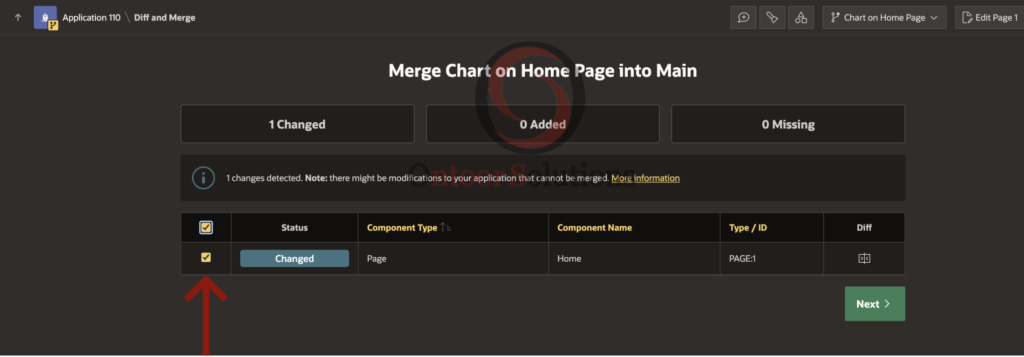
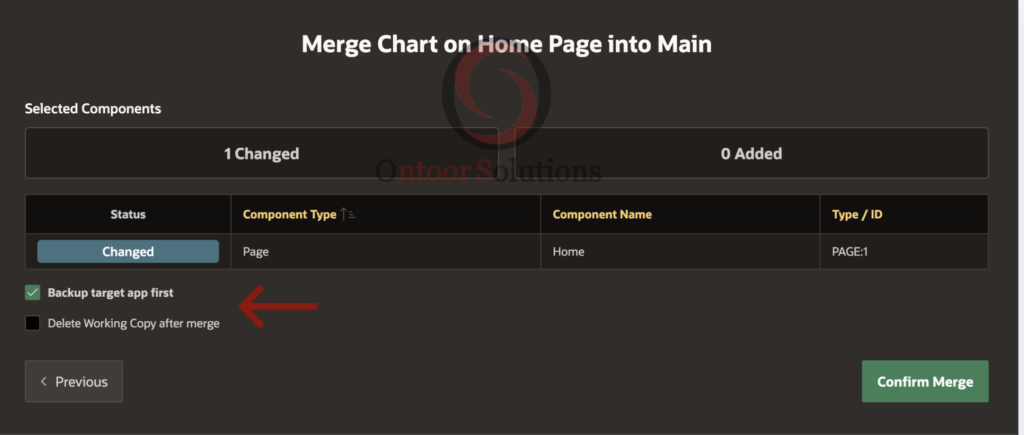
- Review the list of changed components.
- Confirm merge.
In my example i have created a pie chart in a working on home page. let’s compare with main copy.
APEX shows you a detailed comparison before merging.
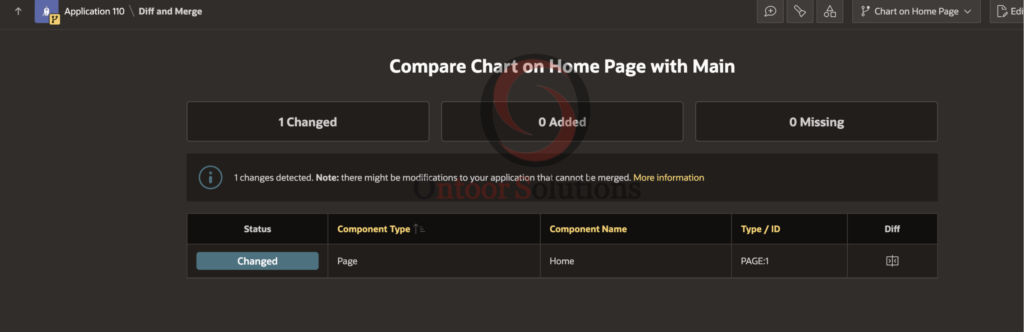
You will see:
- Changed components
- Newly added components
- Deleted components
This is where you must be careful.
Selecting Impacted or Changed Components
The merge screen does not force you to merge everything.
You can:
- View differences for each component
- Select or unselect specific pages
- Include or exclude shared components
This is extremely useful in real projects.
For example:
- You modified Page 10 and Page 20.
- Another developer modified Shared Components.
- You only want to merge your pages.
You can simply uncheck shared components and proceed. This avoids overwriting someone else’s work.
Backup Before Merge
Always enable:
Backup target application first: This gives you a safety version in case something goes wrong. In enterprise environments, this small step saves hours of rework.
Refresh Working Copy from Main
Now let us talk about the other side. What if someone else already merged changes into Main while you were still working? Your Working Copy may now be outdated. That is where Refresh Working Copy helps.
When to Refresh
- Another developer merged new features.
- Security or shared components were updated.
- You are about to merge and want to avoid conflict.
How to Refresh
Steps:
- Open Working Copy.
- Choose Refresh Working Copy.
- Review changed components from Main.
- Select what you want to bring into your copy.
- Confirm refresh.
Again, you can view differences before confirming.
Merge vs Refresh – Simple Difference
| Action | Purpose |
|---|---|
| Merge into Main | Push your changes to main application |
| Refresh Working Copy | Pull latest changes from main into your copy |
Think of it like:
- Merge = Publish
- Refresh = Sync
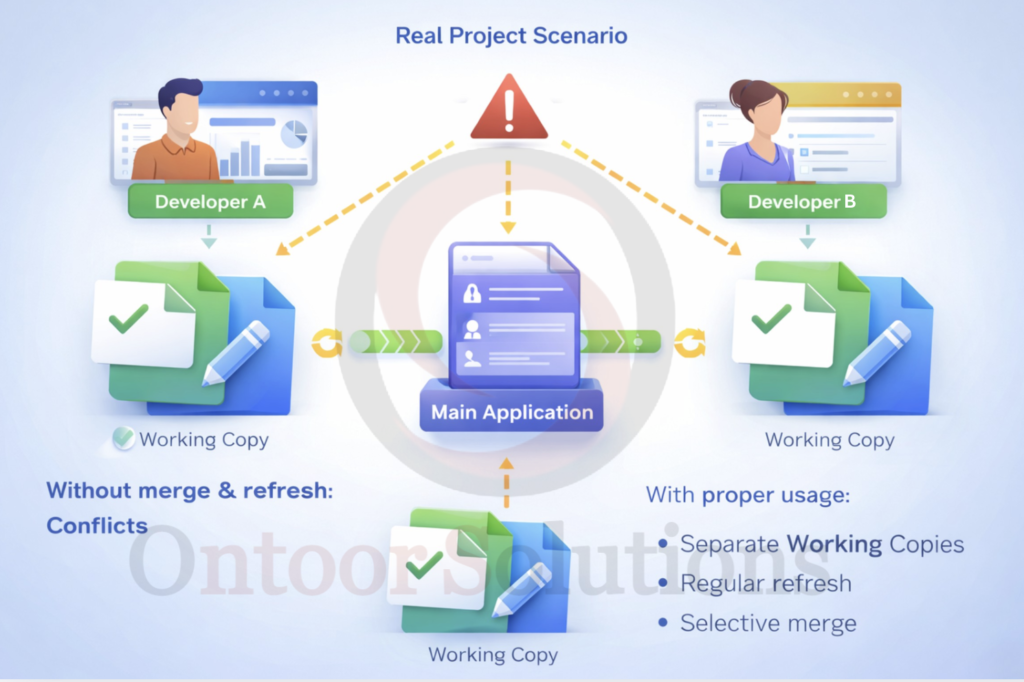
Real Project Scenario
Imagine this situation:
- Developer A is working on new reports.
- Developer B is updating authentication and authorization.
- Developer C is modifying navigation menus.
Without merge and refresh discipline, conflicts are guaranteed.
With proper usage:
- Each developer works in separate Working Copies.
- Regular refresh keeps copies aligned.
- Selective merge ensures only intended changes go live.
This makes development structured and predictable.
Practical Best Practices
From real implementation experience:
- Keep Working Copies short-lived.
- Refresh before merging.
- Always review differences carefully.
- Never blindly merge everything.
- Take backup before major merge.
Working Copy is powerful. But discipline makes it effective.
Final Thoughts
Merging and refreshing in Oracle APEX gives you controlled collaboration inside the platform itself. You are not just editing pages. You are managing versions responsibly. If your team is growing or your application is business critical, using Working Copy properly will protect your application from unnecessary risk. And that is the real value.