Introduction
Oracle APEX gives you two powerful ways to add logic to your applications:
- Dynamic Actions: client-side (browser) behavior and UI-driven rules (show/hide, set values, validations, etc.).
- PL/SQL Processes: server-side logic that runs during specific lifecycle phases (page submit, submit validation, on demand, etc.).
A common confusion for APEX developers is: When should I write a Dynamic Action and when should I build a PL/SQL process?
Choosing the wrong option can lead to performance issues, harder maintenance, or unexpected behavior.
This blog post explains when to use each, the key differences, and ends with a best-practice example.
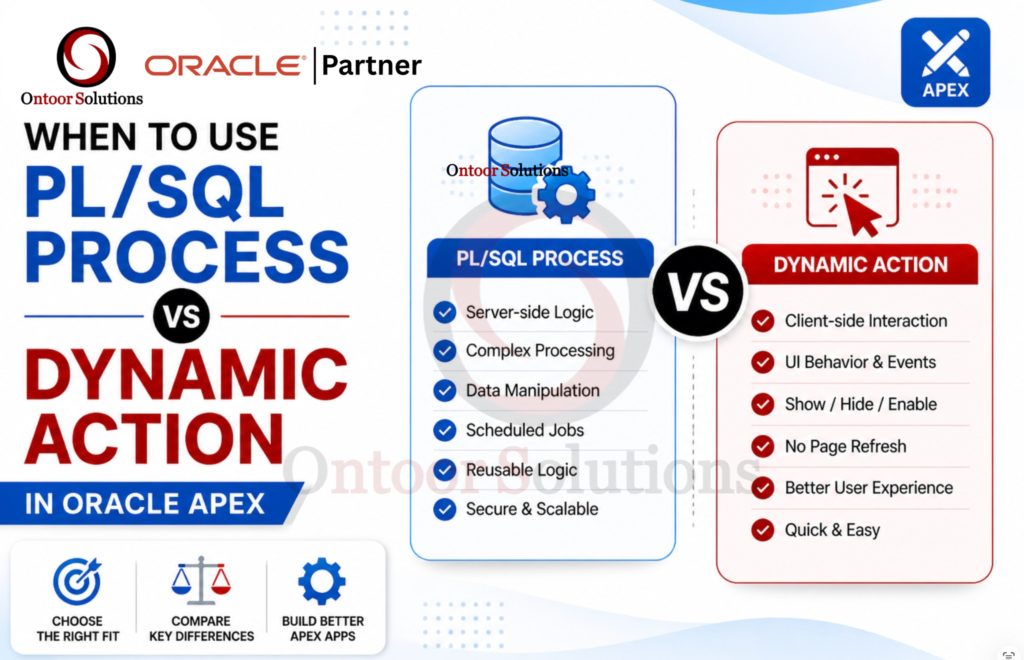
What is a Dynamic Action?
A Dynamic Action is triggered by an event in the UI such as:
- Change of an item value (Change)
- Click of a button (Click)
- Selection in a region (Selection Change)
- Page load (Page Load)
- Timer events, key presses, etc.
Dynamic Actions usually do things like:
- Show/hide items
- Enable/disable items
- Set item values
- Perform validations
- Run JavaScript actions etc.
- Fast, client-side magic. Great for UI tweaks & interactions.
Best for UI behavior and event-driven client interactions.
What is a PL/SQL Process?
A Process is server-side PL/SQL logic that runs at a particular point in the APEX request lifecycle. Common “Run When” settings include:
- Before Submit
- After Submit
- Before Region Body
- After Page Submission
- On Demand
- Validation / Branching points (depends on configuration)
Processes handle things like:
- Insert/update/delete data
- Complex business rules
- Generating totals, performing calculations, saving records etc.
- Server-side, runs on submit. Best for insert/update/delete logic
Best for business logic and database operations.
Key Differences (Quick Comparison)
| Point | Dynamic Action | PL/SQL Process |
| Purpose | Handle UI behavior (client-side interactions) | Handle backend logic (server-side processing) |
| Execution Side | Mostly client-side (browser) | Server-side (database) |
| Used For | On click, change, load | Insert, update, delete data, complex logic |
| User Interaction | Immediate response to user actions | Delayed (after submit) |
| Speed | Faster (no page reload required) | Slightly slower (requires server call) |
PL/SQL Process Example:
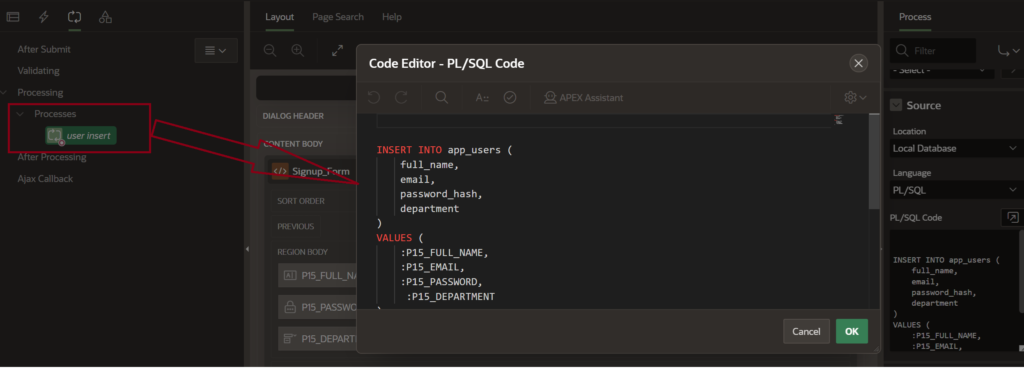
User Insert Process (PL/SQL in APEX)
This process inserts user data into the database when the form is submitted. It uses PL/SQL to store values like name, email, password, and department from page items into the app_users table.
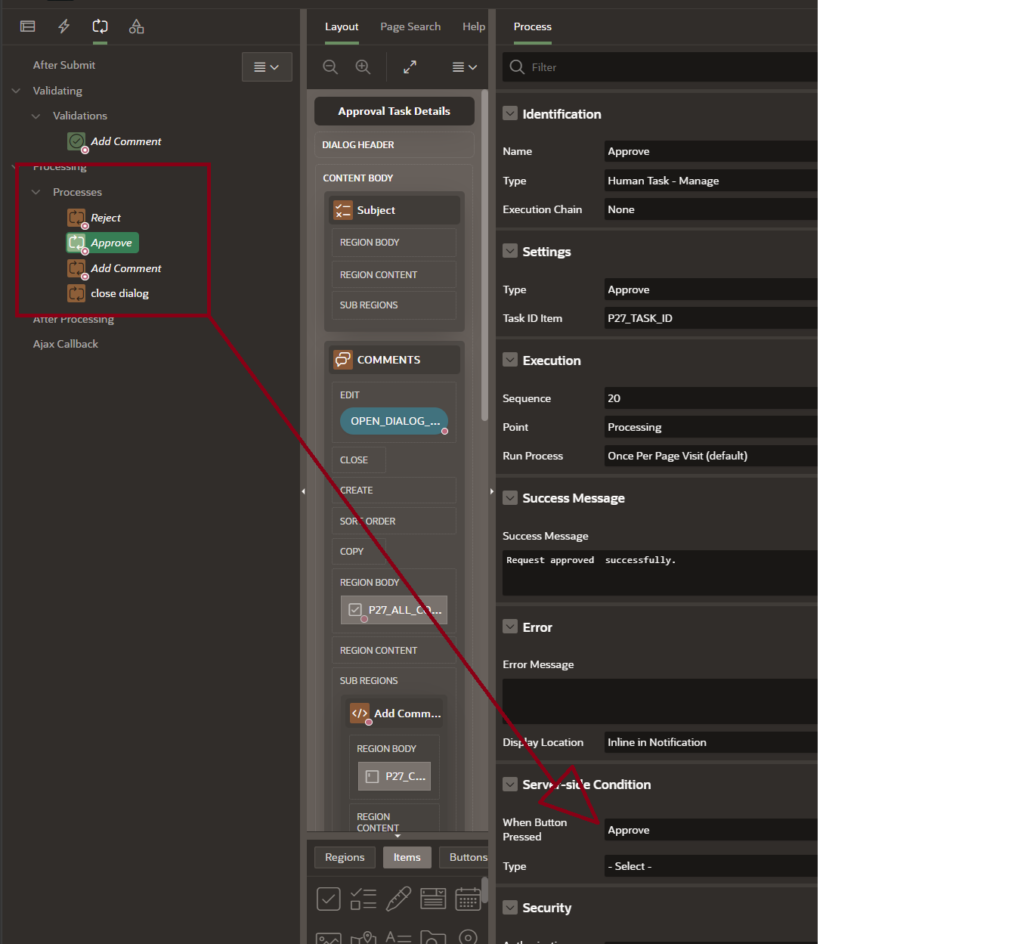
Process Execution on Button Click
In this case, the process was created for a task action, and the condition “When Button Pressed” is used. This means the process will run only when the corresponding button (e.g., Approve or Reject) is clicked.

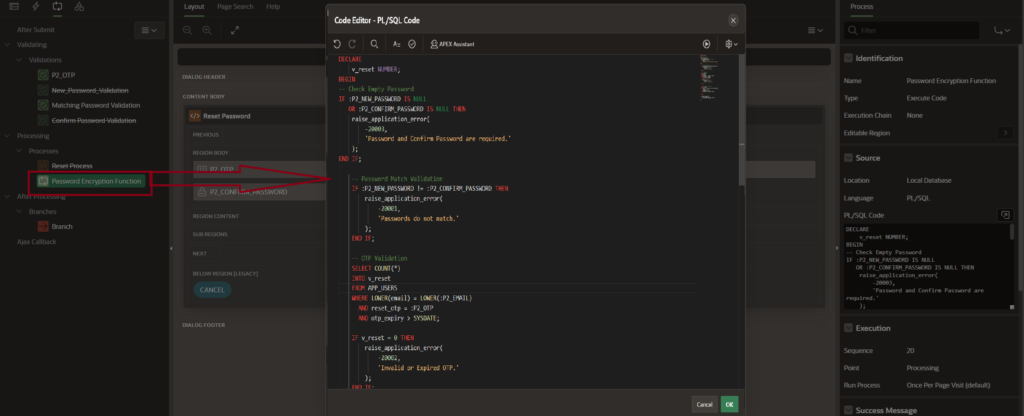
Password Reset Process using OTP
This process handles secure password reset functionality using OTP validation in Oracle APEX. It ensures proper validation, encryption, and redirection after a successful password update.
Dynamic Actions Example:
1.Instant Form Cancel Without Page Reload Using Dynamic Action :-
We applied a Dynamic Action on the Cancel button so that the form can be cleared or cancelled instantly without reloading the page. This makes the process faster and improves the user experience by avoiding unnecessary page refresh.
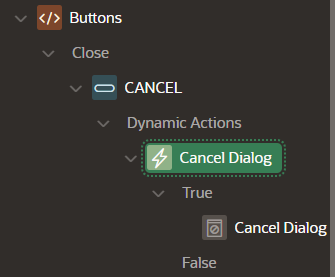

We applied a Dynamic Action on the Cancel button so that the form can be cleared or cancelled instantly without reloading the page. This makes the process faster and improves the user experience by avoiding unnecessary page refresh.
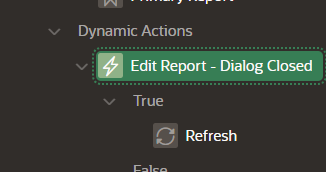
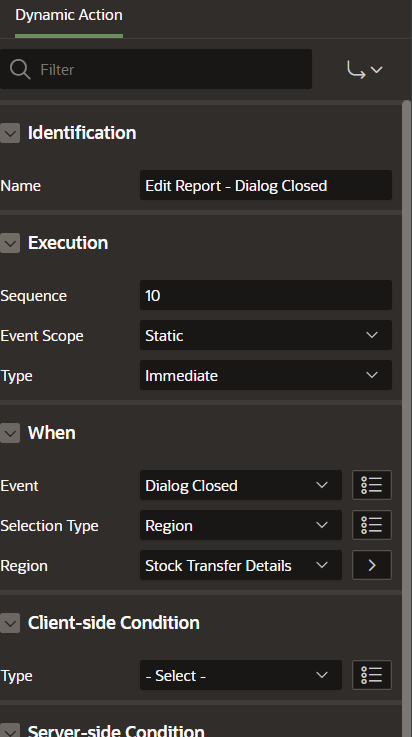
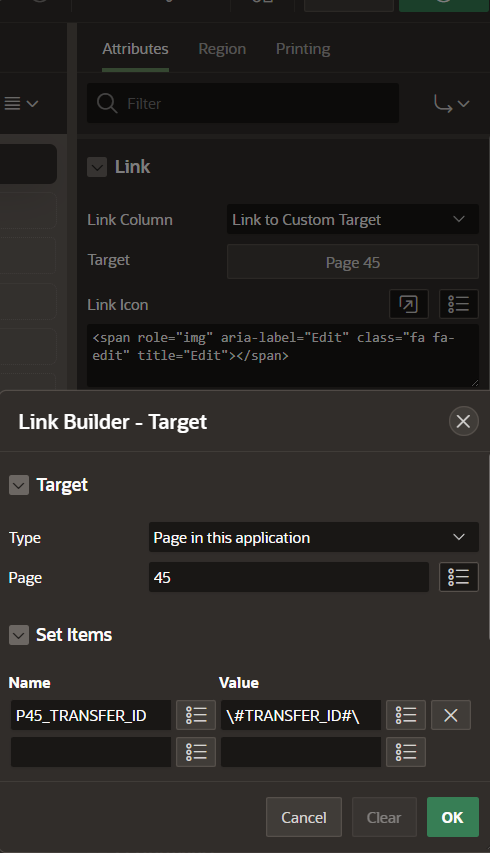
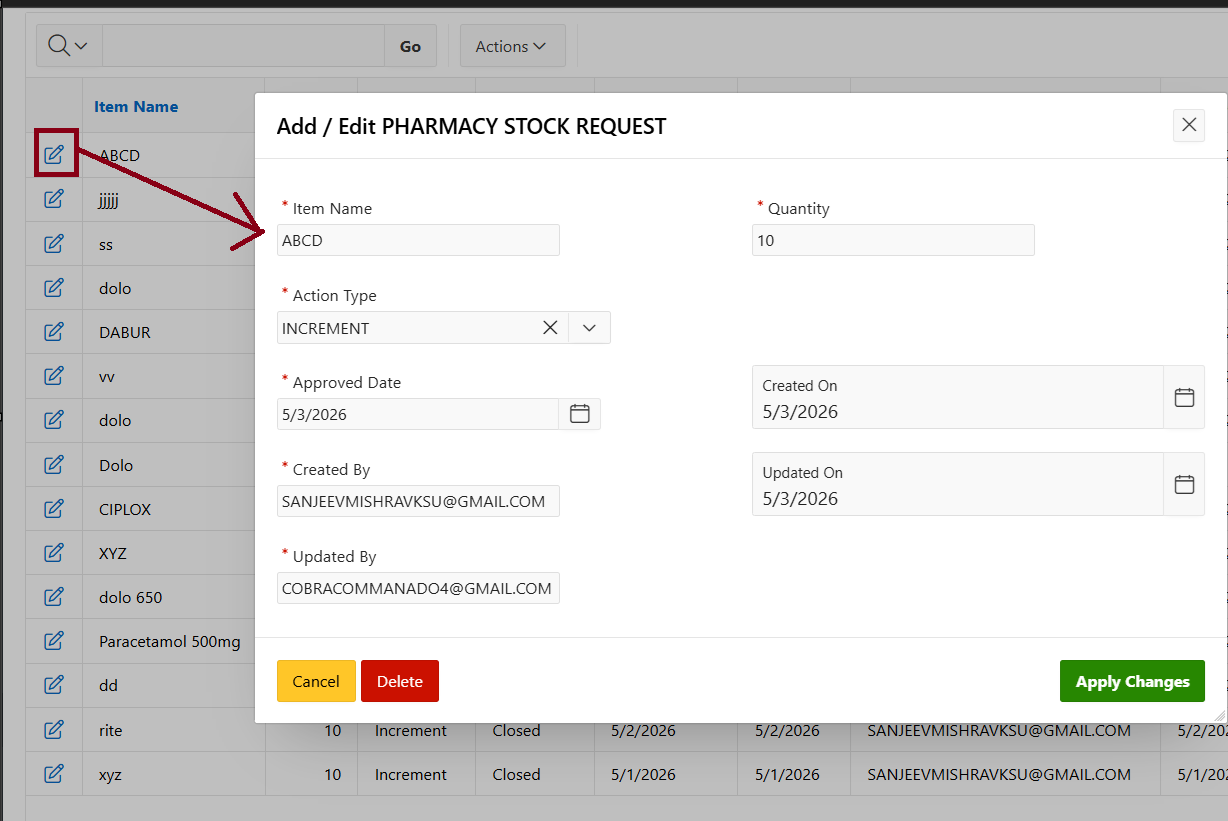
2.Edit Functionality Using Dynamic Action
The Edit icon allows users to quickly update form data using a Dynamic Action, without reloading the page
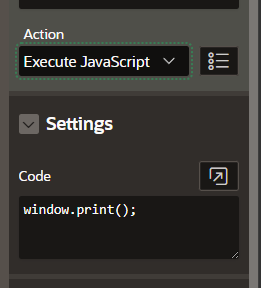
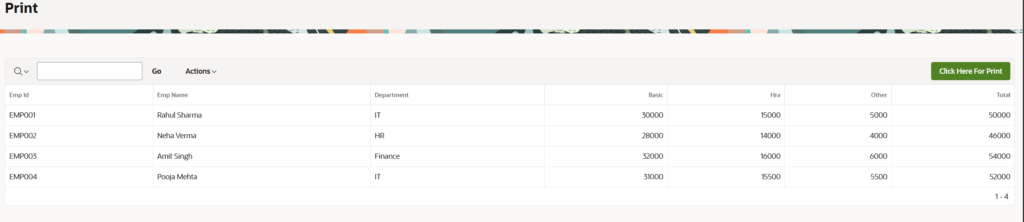
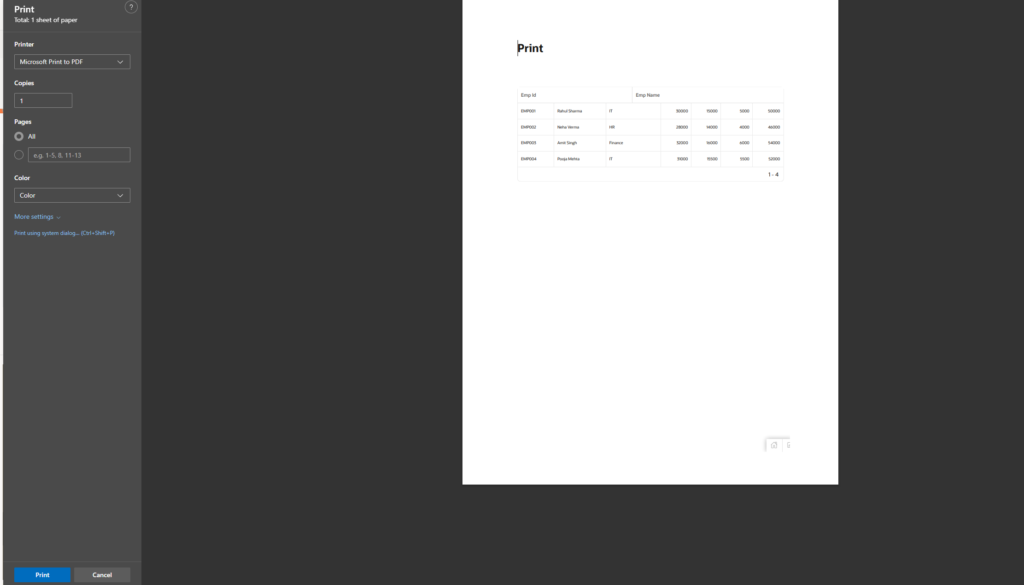
3.Print Report Using Dynamic Action (JavaScript) :-
Using a Dynamic Action with JavaScript (window.print()), we can easily print the report without any extra steps.
Conclusion :-
A dynamic action reacts on a browser event, like click on a button, change of an item value etc. A DA is always some JavasScript code. Even if you choose something like Set Value. APEX itself runs some JavaScript code to do that.
A process is PL/SQL code, so it runs in the database. It can run in two ways:
A dynamic action can call this process, via JavaScript apex.server.process
The process runs as part of the page submit processing.