Modern enterprise applications frequently require QR codes and barcodes—whether for invoices, inventory tracking, secure navigation, or reporting. Oracle APEX provides a built-in package called APEX_BARCODE, which allows developers to generate these codes directly from SQL or PL/SQL, without relying on external libraries, plugins, or JavaScript frameworks.

In this article, we will explore how to use APEX_BARCODE, understand the supported barcode types, and walk through a single SQL query that generates multiple barcodes and QR codes. Finally, we will look at real-world project use cases where this functionality fits naturally into Oracle APEX applications.
What is APEX_BARCODE?
APEX_BARCODE is a standard Oracle APEX package used to generate barcode and QR code images dynamically. These images can be rendered directly in APEX regions such as:
- Classic Reports
- Interactive Reports
- Interactive Grids
- Cards Regions
- Forms
- PDFs and printed documents
- Email templates
The package supports two output formats:
- PNG → Returned as a
BLOB - SVG → Returned as a
CLOB
Both formats are fully supported by the APEX rendering engine.
Supported Barcode and QR Code Types
The APEX_BARCODE package provides functions for the following barcode types:
- QR Code
- Code 128
- EAN-8
Each barcode type is available in PNG and SVG formats (where applicable).
Sample SQL: Generating Multiple Barcodes in One Query
The following SQL query demonstrates how to generate four different barcode outputs in a single SELECT statement:
select
    apex_barcode.get_qrcode_png(
        p_value => 'Vikas Pandey',
        p_scale => 6,
        p_quiet => 5,
        p_foreground_color => '#ffffff',
        p_background_color => '#c7c7cc'
    ) as qr_png,

    apex_barcode.get_qrcode_svg(
        p_value => 'apex.oracle.com',
        p_foreground_color => '#4cd964',
        p_background_color => '#c7c7cc'
    ) as qr_svg,

    apex_barcode.get_ean8_png(
        p_value => '12345678',
        p_scale => 3,
        p_foreground_color => '#4cd964',
        p_background_color => '#c7c7cc'
    ) as ean8_png,

    apex_barcode.get_code128_png(
        p_value => 'apex.oracle.com',
        p_scale => 1,
        p_foreground_color => '#4cd964',
        p_background_color => '#c7c7cc'
    ) as code128_png
from dual;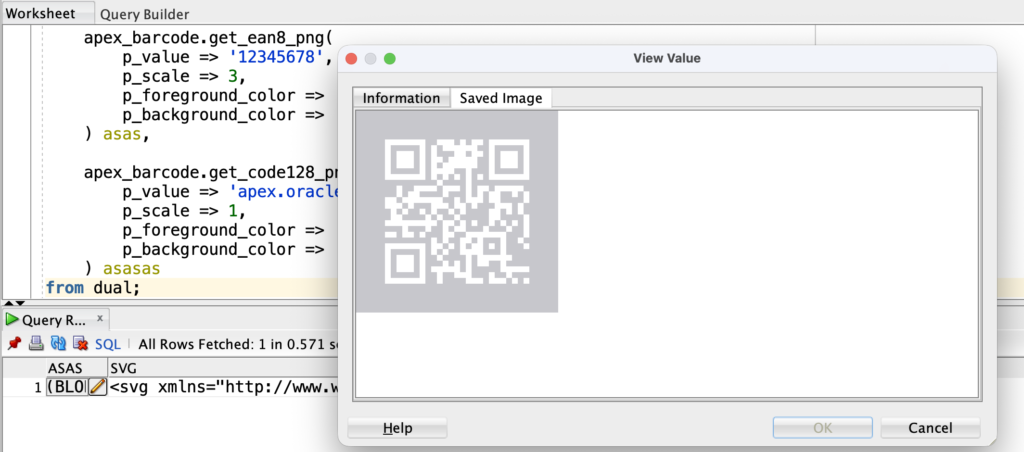
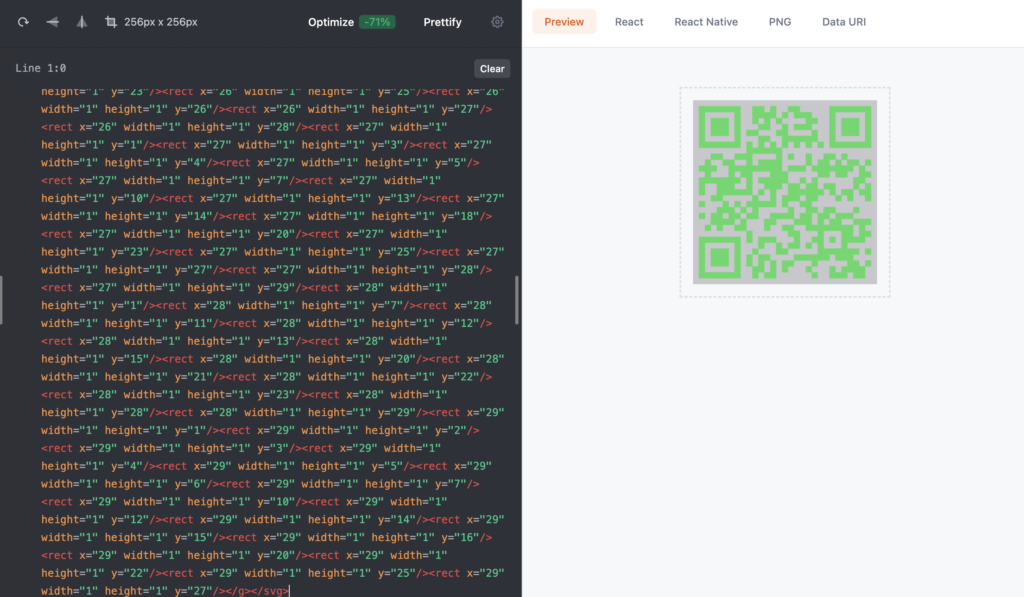
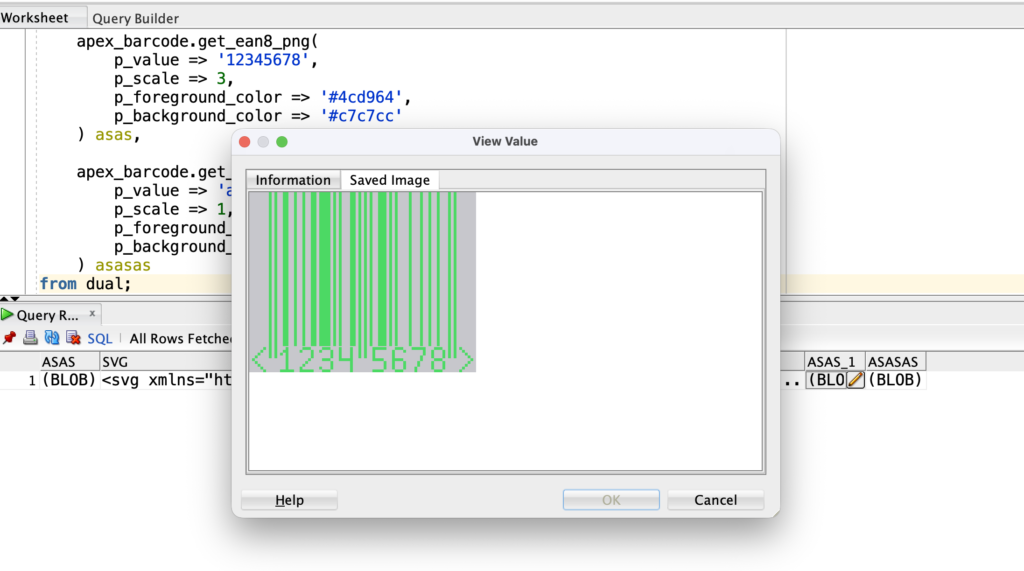

This single query produces:
- A QR Code (PNG)
- A QR Code (SVG)
- An EAN-8 barcode (PNG)
- A Code 128 barcode (PNG)
Detailed Explanation of Each Barcode Output
1. QR Code (PNG Output)
The GET_QRCODE_PNG function generates a QR code image in PNG format.
Key parameters explained:
- p_value
The data encoded in the QR code. This can be text, a URL, an identifier, or application data. - p_scale
Controls the overall size of the QR code. Higher values create larger images. - p_quiet
Defines the quiet zone (margin) around the QR code. This is important for scanner readability. - p_foreground_color
The color of the QR pattern. - p_background_color
The background color of the QR image.
Best suited for:
- PDF generation
- Print layouts
- Invoices and reports
2. QR Code (SVG Output)
The GET_QRCODE_SVG function generates a QR code in SVG format.
Why SVG matters:
- Resolution-independent
- No quality loss when scaled
- Ideal for modern web interfaces
Best suited for:
- Dashboards
- Cards regions
- Responsive APEX UI components
3. EAN-8 Barcode (PNG Output)
The GET_EAN8_PNG function generates an EAN-8 barcode.
Important constraints:
- The input value must contain exactly 8 numeric digits
EAN-8 barcodes are commonly used for small retail products where label space is limited.
Best suited for:
- Product labels
- Retail inventory
- Compact barcode printing
4. Code 128 Barcode (PNG Output)
The GET_CODE128_PNG function generates a Code 128 barcode.
Why Code 128 is popular:
- Supports alphanumeric values
- Compact and high density
- Widely supported by scanners
Best suited for:
- Order numbers
- Shipment tracking
- Internal reference IDs
PNG vs SVG – Which One to Use?
| Scenario | Recommended Format |
|---|---|
| Printing & PDFs | PNG |
| Reports & documents | PNG |
| Dashboards & UI | SVG |
| Responsive layouts | SVG |
| Fixed-size labels | PNG |
Practical Use of APEX_BARCODE in Oracle APEX Applications
Oracle APEX provides the APEX_BARCODE package to generate QR codes and barcodes directly from SQL. While the API itself is simple, its real value comes from how it is integrated into application features such as reports, grids, PDFs, and secure navigation.
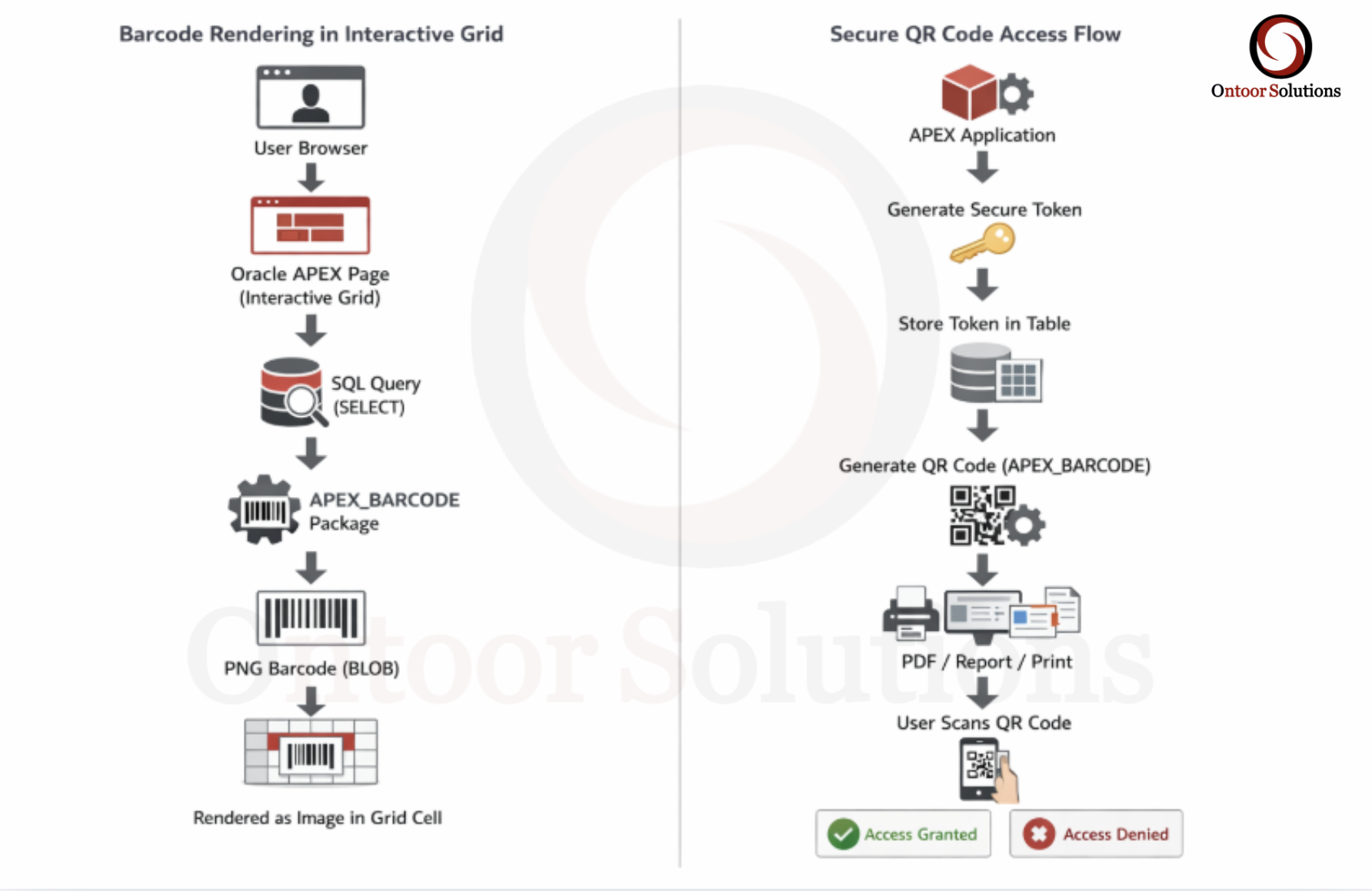
This section demonstrates two complete, real-world use cases, explained step by step, from query design to APEX configuration
Use Case 1: Displaying Barcodes in an Interactive Grid (Operational Screens)
Business Requirement
In inventory, order management, or logistics systems, users need to scan order or item identifiers directly from the screen. Opening a detail page for each record slows down operations.
The requirement is to show a scanna ble barcode inside an Interactive Grid, one per row.
Step 1: Data Preparation
Assume a table containing order information:
ORDER_IDORDER_NOORDER_DATESTATUS
The barcode will be generated using the ORDER_NO column.
Step 2: SQL Query for the Interactive Grid
The barcode is generated directly in the SELECT query using APEX_BARCODE.
select
    order_id,
    order_no,
    order_date,
    status,
    apex_barcode.get_code128_png(
        p_value            => order_no,
        p_scale            => 1,
        p_foreground_color => '#000000'
    ) as order_barcode
from orders;
Why Code 128?
- Supports alphanumeric values
- Compact and widely supported by scanners
- Suitable for operational screens
Step 3: Create the Interactive Grid
- Create a new page in Oracle APEX
- Select Interactive Grid as the region type
- Use the SQL query above as the data source
Step 4: Configure the Barcode Column
In the Interactive Grid column settings:
- Column Name:
ORDER_BARCODE - Type: Image
- MIME Type:
image/png - Disable:
- Sorting
- Filtering
- Aggregation
This ensures the barcode is rendered correctly and not treated as text data.
Step 5: Runtime Behavior
At runtime:
- Each row displays a barcode for its order number
- Users can scan directly from the screen
- Barcodes automatically update when data changes
Use Case 2: Secure QR Codes for Report & Document Access
Business Requirement
Reports often need to be shared with:
- Auditors
- Managers
- External stakeholders
Sharing direct URLs or login credentials is insecure. The requirement is to provide controlled access using QR codes, with time or usage limits.
Step 1: Token Storage Table
Create a table to manage secure access tokens:
TOKEN_VALUEEXPIRY_DATEUSED_FLAGCREATED_ON
Each token represents a single secure access request.
Step 2: Generate a Secure URL
A secure APEX URL is constructed using:
- Application ID
- Page ID
- Token as a page item
This URL is not hard-coded and expires based on token rules.
Step 3: Generate QR Code for the Secure URL
select
    apex_barcode.get_qrcode_png(
        p_value =>
            'https://apex.oracle.com/ords/f?p=100:10:::NO::P_TOKEN='
            || token_value,
        p_scale => 5,
        p_quiet => 4
    ) as secure_qr
from report_access_tokens
where token_value = :P_TOKEN;
Why QR Code?
- Easy mobile access
- No manual URL typing
- Reduces sharing mistakes
Step 4: QR Target Page Validation
On the target APEX page (Page 10 in this example), validate the token during page load.
declare
    l_valid number;
begin
    select count(*)
    into l_valid
    from report_access_tokens
    where token_value = :P_TOKEN
      and expiry_date > sysdate
      and used_flag = 'N';

    if l_valid = 0 then
        raise_application_error(-20001, 'Invalid or expired access.');
    end if;
end;
This ensures:
- Token exists
- Token is not expired
- Token has not already been used
Step 5: Optional – Mark Token as Used
If one-time access is required, mark the token as consumed:
update report_access_tokens
set used_flag = 'Y'
where token_value = :P_TOKEN;
This prevents the QR code from being reused.
Runtime Behavior
- User scans the QR code
- APEX validates the token
- Access is granted or denied
- No credentials are shared
Best Practices When Using APEX_BARCODE
- Use SVG for UI and dashboards.
- Use PNG for PDFs and printing.
- Keep QR code values concise for better readability.
- Always include a quiet zone for QR codes.
- Store encoded values, not images, for better scalability.
The APEX_BARCODE package is a powerful yet simple feature in Oracle APEX that enables developers to generate QR codes and barcodes using pure SQL. With support for multiple formats and barcode types, it fits naturally into enterprise-grade APEX architectures.
Whether you are building billing systems, inventory modules, or secure reporting solutions, APEX_BARCODE helps improve usability, accuracy, and efficiency—without adding external dependencies